
Rajasthan SSO ID Registration
To access the SSO dashboard and avail the services offered by the portal, you need to complete the SSO ID Registration first. If you already have an account, you can log in with your SSO ID and password. If you are accessing the portal for the first time, you need to create new SSO account. The portal is user-friendly, and the registration has been kept simple for the users. This guide helps you complete your SSO ID Registration on the portal.
What is the SSO ID Registration?
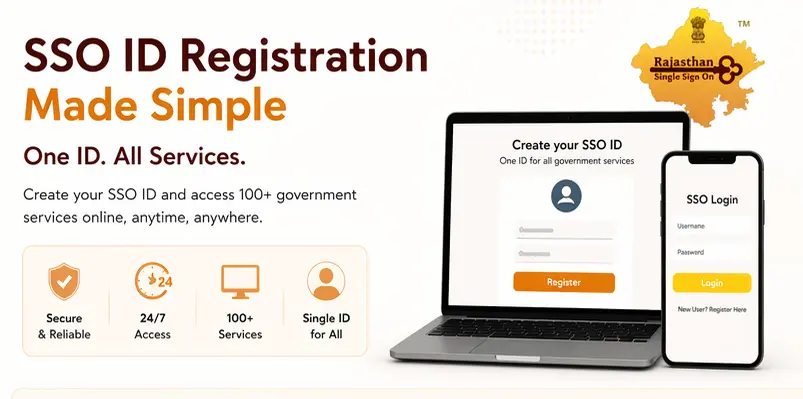
It is important to understand that the SSO ID Registration before you start your Registration. An SSO ID (Single Sign-On ID) is a unique login ID that allows access to government services for you, available on the portal. You can only obtain this ID once you have completed the registration by providing your personal information. The key is basically the unique address linked to your personal information in the portal you provide during registration. This allows the departments on the portal to access the user-required information. Instead of requesting the registration again, they get the user information linked to their SSO ID.
Step-by-Step SSO ID Registration Process
Whether you are a job seeker, business owner, or government employee. You need to get the unique SSO ID to log in. To start the registration, make sure you have the following information ready.
Mobile Number: An active mobile number is mandatory for OTP verification.
Aadhaar Card / Jan Aadhaar Card: Required for Identity verification.
Email Address: An active email address can be added; this will help you in password recovery.
SSO ID Registration For Citizens
You can register via an Aadhaar card, Jan Aadhaar card. This is recommended as it will automatically link you to the family member. You can also register with a Google account, which is the fastest way to register.
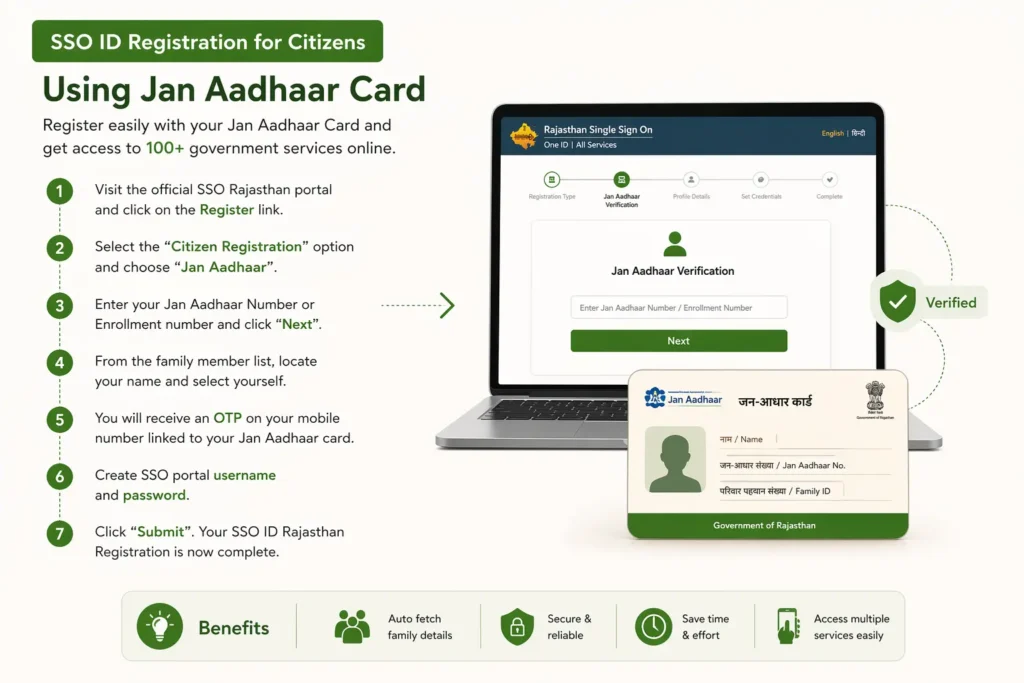
SSO ID Registration for Citizens Using Jan Aadhaar Card
- Visit the official SSO Rajhastan portal and click on the register link.
- Select the “Citizen Registration” options and choose “Jan Aadhaar.”
- Enter your Jan Aadhaar Number or Enrollment number and click “Next”.
- From the family member list, locate your name and select yourself.
- You will receive an OTP on your mobile number linked to your Jan Aadhar card.
- Create SSO portal username and password.
- Click “Submit”. Your SSO ID Rajasthan Registration is now complete.
SSO ID Registration for Citizens Via Google Account
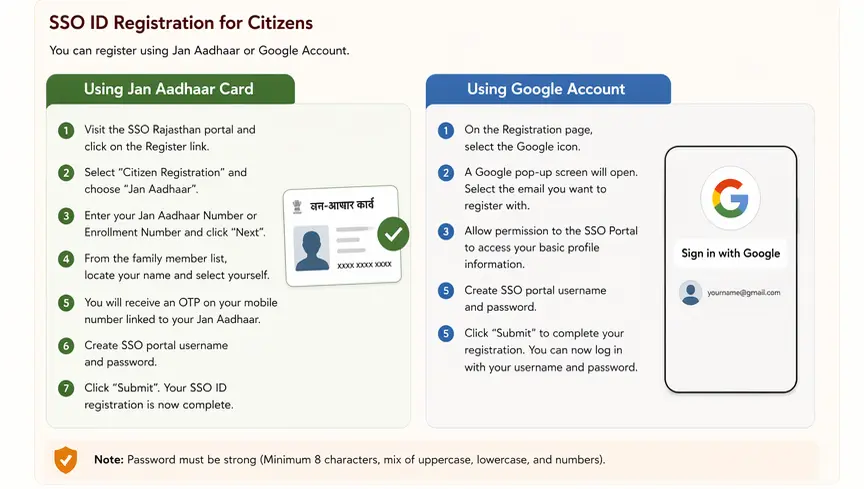
- On the Registration page, select the Google icon for registration.
- A Google pop-up screen will open. Select the email you want to register with.
- Allow permission to the SSO Portal to access your basic profile information.
- Create SSO portal user name and password.
- Click “submit” to complete your registration.
You can now log in to your account with your username and password.
Note: Password must be strong (Minimum 8 characters, mix of uppercase, lowercase, and numbers).
SSO ID Registration for Government Employees
If you are a state employee looking for services like payroll, GPF, or leave applications, then do not use the “Citizen” Registration Method. Follow the steps below to complete SSO ID registration as a government employee.
- Visit the registration link at the portal.
- Select the user type as Rajasthan Government Employee and click on “SIPF.”
- Enter your 10-digit SIPF ID, password, and click “Next”.
- The system will match your SIPF ID with the database, and your employee details will be auto-fetched.
- The system will display the Official Email ID and Mobile Number on record. Enter the OTPs received on your mobile number and email address.
- Create a username for SSO Sign-in and set a password to complete the registration.
You have now created your SSO employee ID and can sign in to the portal.
SSO ID Registration for Business / Udyog
SSO ID Registration for businesses and citizens is under the same section.
- Visit the registration link on the SSO portal.
- Select the user type Udyog.
- Choose Identification Mode:
- Via GSTIN: Enter GSTIN and Trade Name. Click Verify.
- Via BRN: Enter UAM Number and Enterprise Name. Click Verify.
- Via PAN: Enter Business PAN and Name.
- Once verified, the system fetches the business address and details of the business from the Rajasthan Single Window Clearance System or GSTN portal.
- Enter the OTP received on your registered mobile number.
- Create a username and a password and click “Submit”.
You can now log in and access business services like licenses, tax filings, and e-Mitra services
FAQs
Conclusion
Getting your SSO ID is the first and most important step to access Rajasthan government services online. The registration process is simple, whether you are a citizen, business owner, or government employee. Once you complete the registration, you unlock a single dashboard where everything becomes easier, from applying for schemes to managing official tasks. If you haven’t created your SSO ID yet, completing the registration today can save you time and effort in the future.